BestSync Q&A
How to Automatically Run BestSync Application with Administrator Privileges?
If you want to start the BestSync Application with Administrator Privileges once, simply right-click the desktop icon and select "Run as administrator" from the context menu. The UAC will pop up to run the application with elevated privileges.
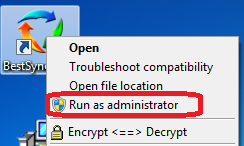
If you want to automatically start BestSync with Administrator Privileges, you must use the Task Manager to create a schedule. The following guide shows you how to start BestSyncApp.exe with elevated ( administrative ) privileges automatically and bypass the UAC security prompts.
Create a Task
First, we need to create a task in the Task Scheduler that opens the command prompt with elevated privileges.
Note: You need to follow these directions with a user account that has administrative privileges ( you can install software ).
- Open theTask Schedulerby going to theStart Menu,All Programs,Accessories,System Tools,
and openTask Scheduler.
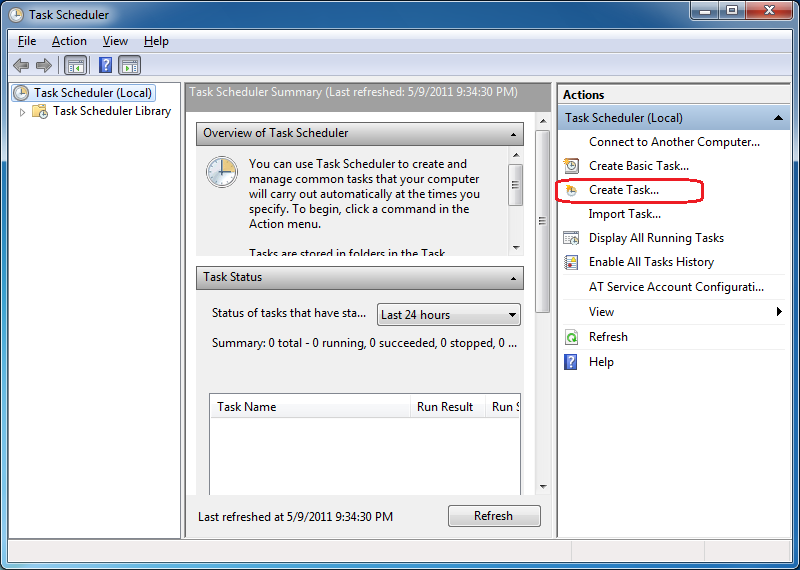
- ClickCreate Taskon the top right of the Task Scheduler window.
- Give the task a name in theNamebox in
the Create Task window.
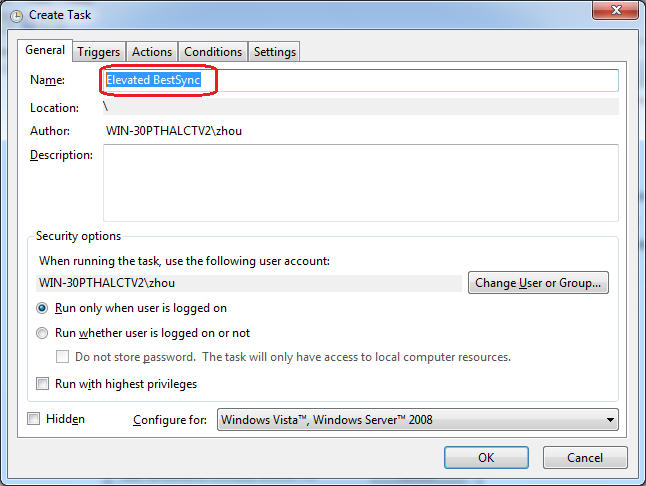
Remember this name ( Elevated BestSync ).You will need it later.
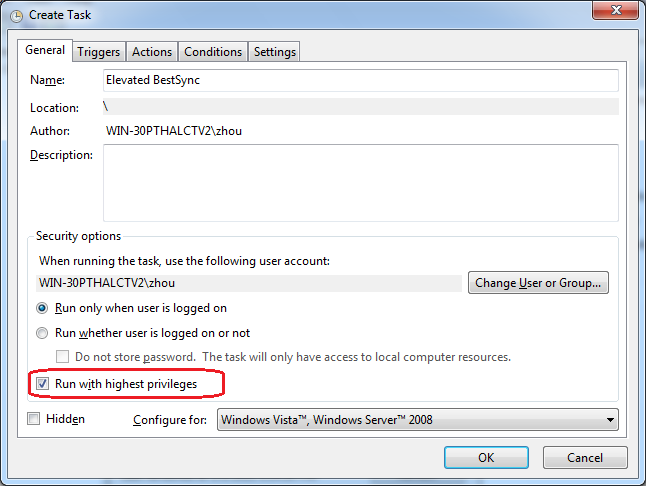
- Check theRun with highest privileges box.
- ClickNewin theActions tabof the Create Task window.
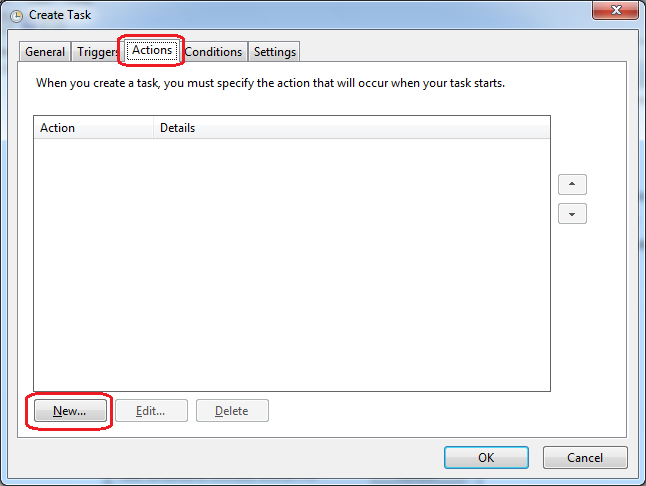
- Browse to the location of the BestSync Application
("C:\Program Files\RiseFly\BestSync 2015\BestSyncApp.exe")
in theProgram/scriptbox and then clickOK.
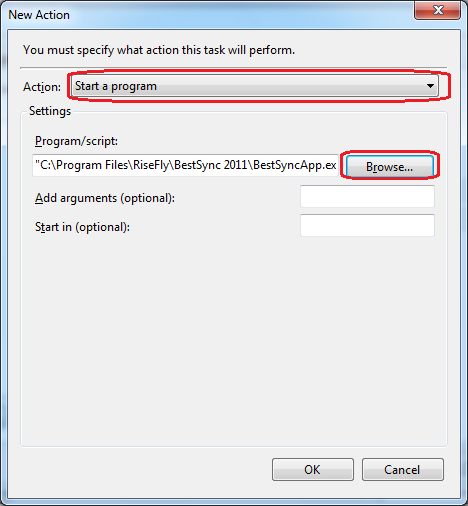
- ClickOKto close theNew Actiondialog box.
- ClickNewin theTriggers tabof the Create Task window.
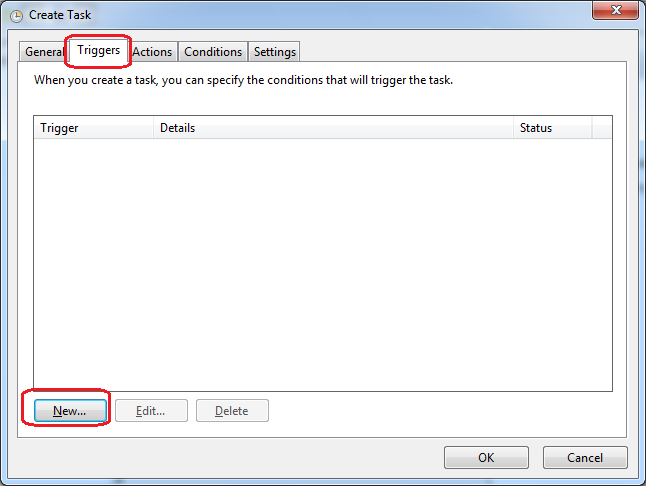
- SelectAt startupin theBegin the taskcombo box, and then clickOK.
This will start the BestSync Application when Windows starts.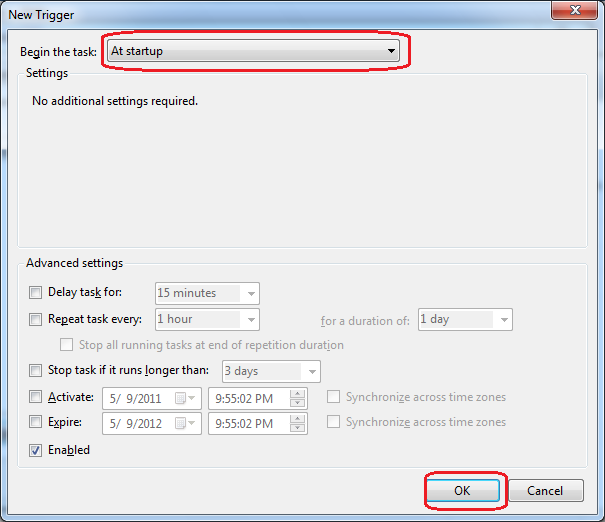
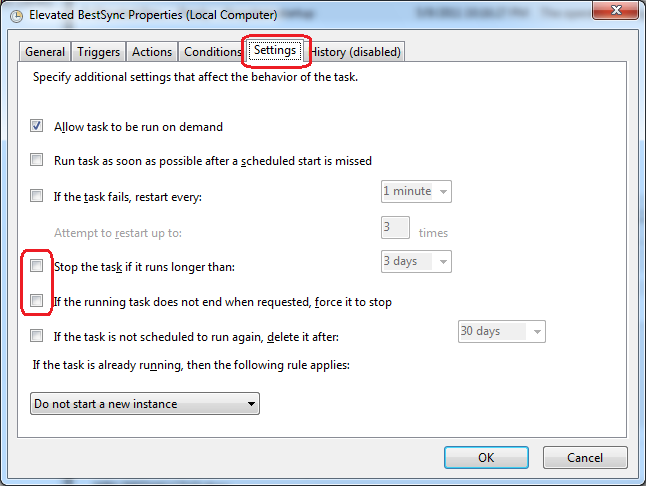
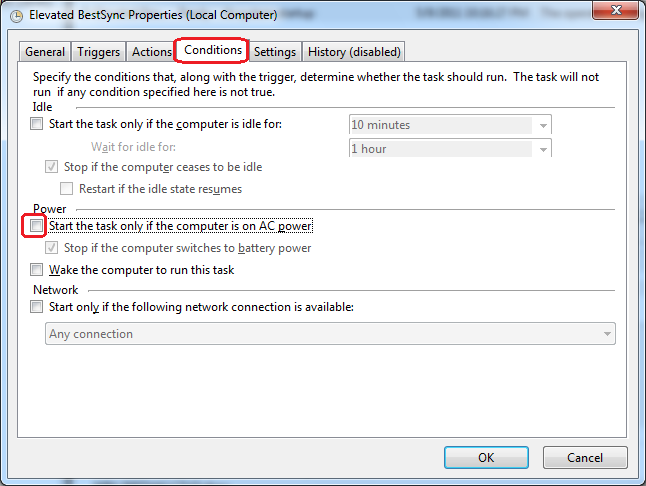
- Please uncheck the following settings that may affect
auto-start, then clickOKto close theNew
Actiondialog box.
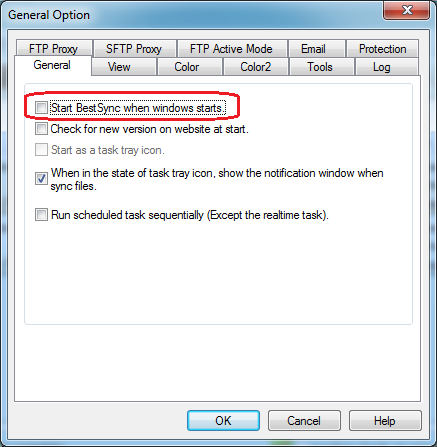
- Don't forget to uncheck the auto-run option in the
BestSync application itself.
What should I do if I can't find an answer to my question here?
Pleasecontact us.

